Tessera Viz
PX-02
Surface 04
Your data on a map — without another mapping vendor.
Web Mercator, raster and vector basemaps, clustering by zoom, tracked movement and edge bundling — with the same nodes, links and styling as the graph view.
01
What it is
06
Surface 04 · Maps
Maps that work anywhere, even offline.
We wrote the protobuf reader, the tile decoder and the canvas renderer. That is an unusual thing to do, and the reason for doing it is the same reason the rest of the library has no third-party runtime dependencies: a map that phones home is a map you cannot ship into an air-gapped network.
0
Runtime dependencies
2
Basemap kinds
Offline
Tile packs
02
See it
06
See your locations and routes, live.
A made-up fraud case on the built-in world map, linked to its timeline: pick a place and the timeline follows, scrub the timeline and the map follows. Drag to pan, scroll to zoom, hover for the detail.
Loading the demo…
Loading the demo…
Impossible travel
Card C · Bengaluru → Chennai
290 km in 10 min
≈ 1,741 km/h · 28 Sept, 10:00 am → 28 Sept, 10:10 am
Time window
The whole case
Selected
Nothing yet — click a marker or a timeline event
A made-up case: real city positions, invented accounts, amounts and times. The world map is built in — no tile server.
Show as network
The same case, one click
Alt-drag
Draw a circle
Within 50 km
A radius query
No tile server
The world map is built in
Invented accounts, amounts and times over real city positions. The world map is built in, so this panel needs no tile server; the timeline below it shares the map's selection and time window.
03
Find yours
06
Everything a map needs, and how to choose.
How it works.
01
Projection
Web Mercator, the projection every tile server uses, so our coordinates and your tiles agree.
02
Raster basemaps
Any z/x/y tile server, with subdomain rotation, signed URLs, custom headers — and an offline tile pack you ship with the application.
03
Vector basemaps
Our own vector tile decoder and renderer. We wrote the protobuf reader, the tile decoder and the canvas renderer, so a vector basemap adds no dependency. Tiles restyle without refetching, so dark mode is a token change rather than a new request, and they stay sharp at any zoom.
04
Clustering by zoom
Points collapse into counts as you zoom out, so a dense city is one marker labelled 4,182 rather than 4,182 overlapping markers.
05
Movement
Tracked entities with interpolated positions between samples and trails behind them. Interpolation is strictly between known samples: on a map, an extrapolated position is a false claim about where something was.
06
Flows
Weighted links between places, width by volume, with edge bundling that groups parallel routes into visible corridors. Bundling runs in projected world space, so it stays correct at every zoom instead of re-bundling on each pan.
07
Unplaced data
Entities with no coordinates go into a side panel rather than at zero-zero in the Atlantic. A missing location is a fact about the data, and it should look like one.
08
An offline tile pack
A bundle of tiles keyed by z/x/y that you ship with the application. Point the basemap at it and the map draws from disk.
09
Unusually small, for vector
Vector tiles are a fraction of raster size, and one pack serves every theme.
10
Why most vendors cannot do this
Because their renderer phones home. Ours has nothing to phone.
04
What it draws
06
Colour regions by your own numbers.
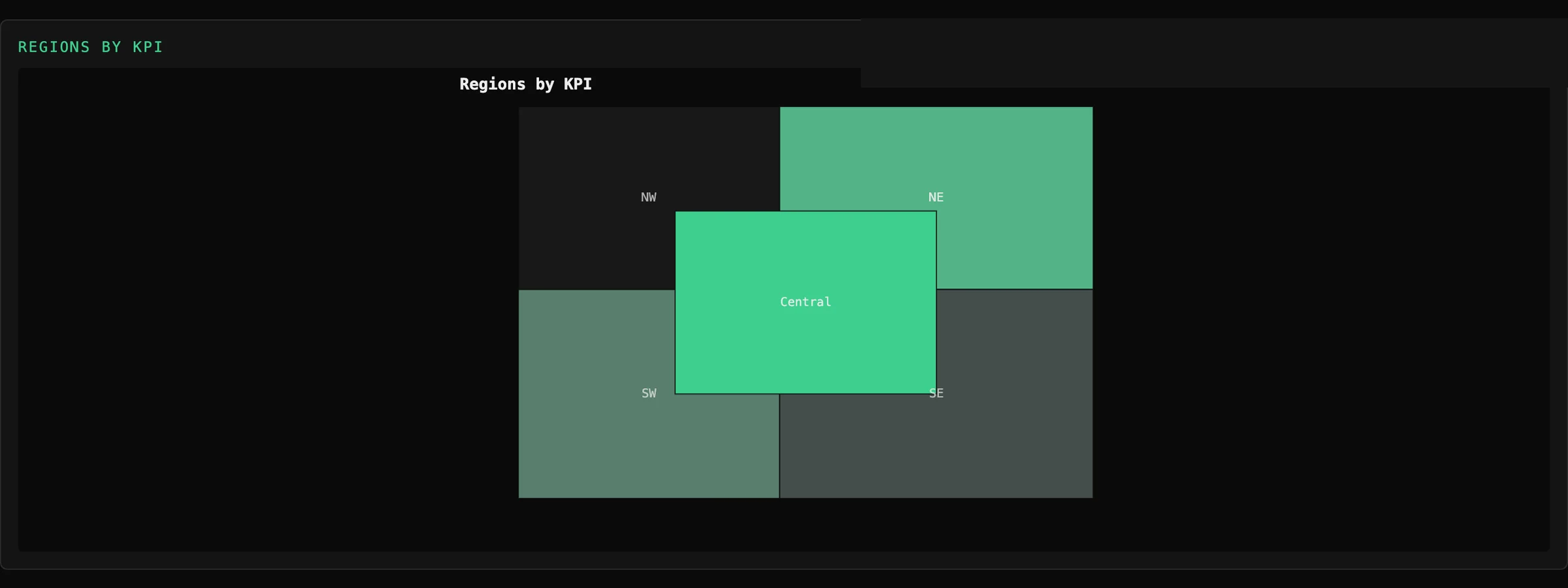
Choropleth
Polygon regions
The only map-side capture we hold today. The basemap, the tile decoder and the offline packs are described above and not yet photographed — when there is a panel for them it goes here, and until then this page says so rather than showing something else.
05
Where it stops
06
What it won't do yet.
01
No labels on vector basemaps yet
Our vector renderer draws geometry and styles it; it does not yet place place-names. Raster basemaps have labels baked in. Label placement needs text shaping and a collision solver, and it is on the roadmap.
02
No 3D terrain, no globe
Flat Mercator only.
03
Not a GIS
No topology editing, no spatial joins, no geoprocessing. Visualization and interaction.
06
Where next
06